Learn How to Schedule Tweets with Google Calendar
I schedule a lot of social media content. Tweets can be scheduled through tools like Hootsuite, Social Oomph, Buffer, and Crowdfire just to name a few. Last week I was browsing the recipes on IFTTT which is a simple way for Non-Tech types to program certain actions. Some actions, like the one I’m highlighting today, are useful for business and blogging.

Inside You Will Learn:
- How to set up the IFTTT recipe for Twitter and Google Calendar
- Schedule your first Tweet

Before you start, let’s make sure you have an IFTTT account. Visit IFTTT.com and sign up for an account by entering your email address and a password (at least 6 characters long).
Next, click on the black down arrow which is located by your username (top right corner). Click on Preferences. You can add 2-step verification, set your timezone, set the bit.ly shortener if you want to use this, and select alerts and emails from IFTTT. Remember to click Update Settings.
Now, click on Profile. You can add a bio and connect to a profile channel like Facebook, Instagram, SoundCloud, Linkedin, Tumblr, or Twitter.
You’re ready to make your first “recipe” or add one that someone else has created. In this example, you’re going to use a recipe by user Wobable - Schedule Tweets Using Google Calendar.
Learn to Schedule Tweets Using Google Calendar #shortcuts #productivity Click To TweetConnecting Twitter and Google Calendar to IFTTT
You will need to give permission to Twitter and Google Calendar in order for this recipe to work. Be sure when you connect Google Calendar that the right calendar is selected. Also, be sure to schedule your posts using this same calendar. (ex. personal, work, social media)
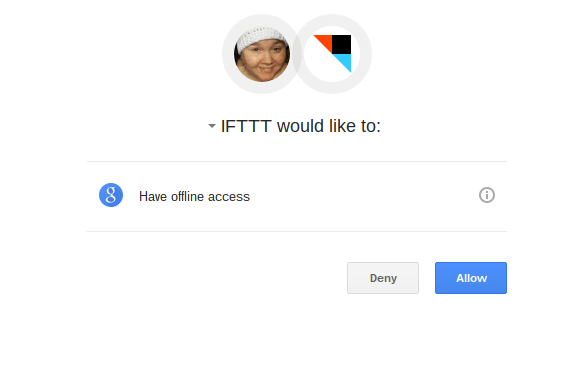
Once the channels (aka sites) are connected, you can build your recipe.
Setup Your Recipe
The default for the “trigger” for the keyword or phrase is “Schedule Tweet”. I like things short and simple, so I changed it to “tw”.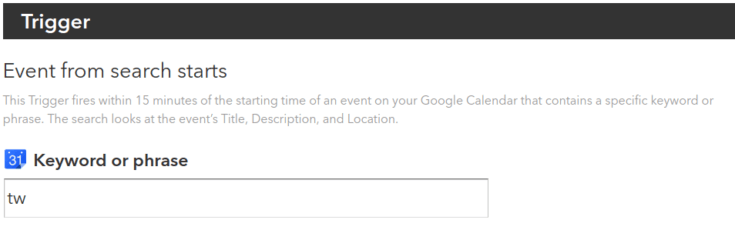
The action stays the same.
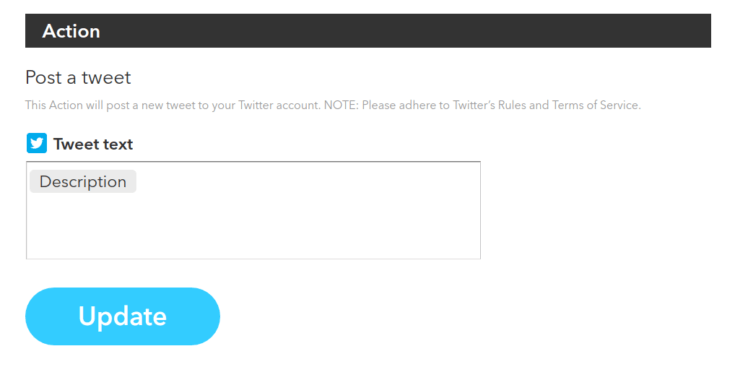
Be sure to click “UPDATE“.
Schedule Your First Tweet
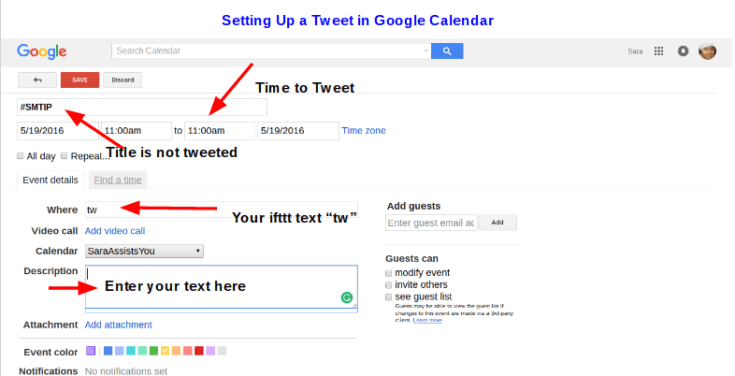
- Go to Google Calendar and click on the date and time you want your Tweet to go out.
- Do Not click Create, instead, click Edit.
- Add a description (Your tweet)
- Options - select an event color, deselect invite guests and see guest list, and select “Available”.
- Save your event aka tweet.
Pros
This makes it possible for you to safely outsource this task to your virtual assistant. Once you get to know her/him then you will feel comfortable adding them as an assistant to your Hootsuite or other paid scheduling account.
An easy way to see all of your text Tweets in a month.
You can schedule months in advance instead of 30-days at a time.
You don’t have to bother with CSV files.
Cons
Yet another application to learn and use (if you don’t already use Google Calendars).
Image Tweets can’t be scheduled.
There is no way to track links unless you use the bit.ly option (see setup instructions above).
Kelly says
This would be PERFECT if you could do image tweets. I love the idea of it though, and I’m seeing a lot of people are using IFTTT for so much of their scheduling now.
Magical V.A. says
It would, wouldn’t it Kelly? Bulk scheduling in Hootsuite is a paid feature and this option is a way for those on a tight budget to get a similar feature.
Eszter says
Never heard of IFTTT, must check it out! 🙂 Thanks for sharing these useful tips.
#YouAreLoved says
It really is a neat little tool (especially for people techy-challenged people like me).
Mike Gardner is The Time Doctor says
Agree with Kelly regarding Images, I think IFTT is a great tool, but not a fan of google taking over the world 🙂 but love the simplicity of the idea you share Sara
#YouAreLoved says
Mike, certainly now that Twitter is all about images it would be a great feature. There are other schedulers for social media that work for that.
Sue Fleckenstein says
Thanks for sharing, it will really help make life a little easier for Tweeting. Wish you could schedule images though, that would be perfect.
#YouAreLoved says
Sue, it would be wouldn’t it? I’m sure some tech person knows of a way.
Bill (LoneWolf) Nickerson says
Thanks for sharing this Sara. I’d not looked into IFTTT at all before this, but now it opens up a world of possibilities! I imagine there may be another recipe out there that might overcome the shortcomings of Google Calendar somehow, perhaps using Evernote.
#YouAreLoved says
Bill, yes, ifttt has a whole library of possibilities including ones for Evernote.