Before you hit publish – preparing the post
12-Checks Before You Publish Your Epic Post
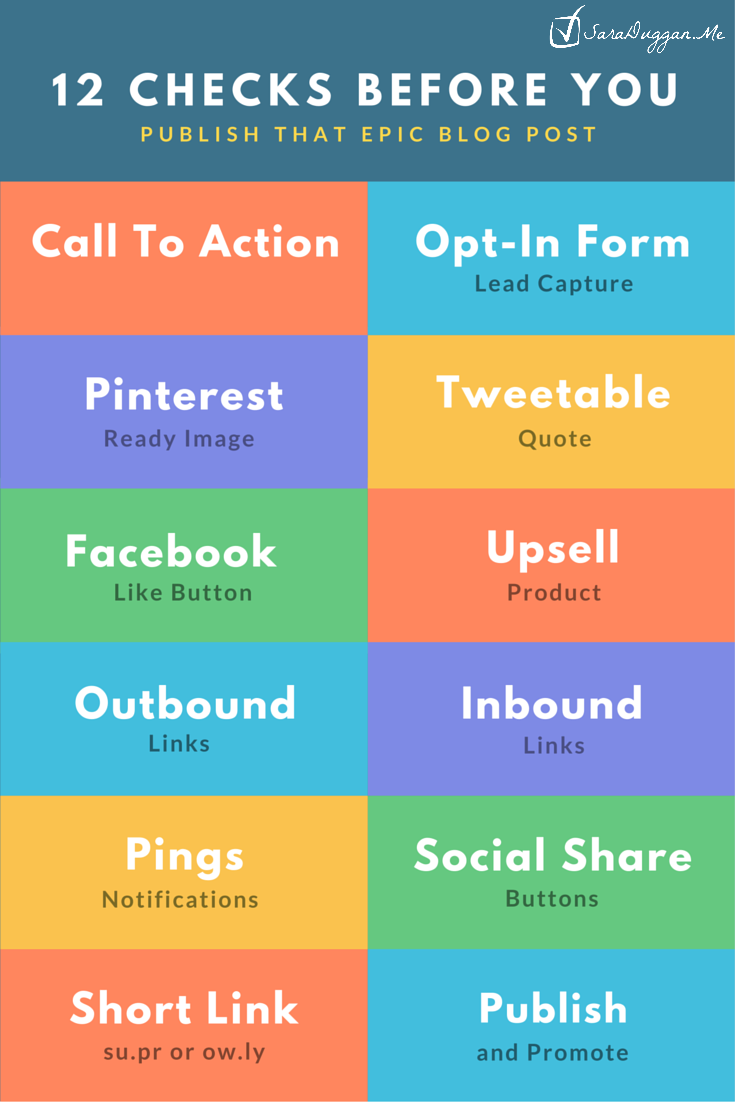
Continuing with my traffic map for 2016, this is the checklist I will use for preparing the post itself before I hit the publish button.
My Traffic Map 2016: Post 1- Preparation | Post 2 - Before You Hit Publish | Post 3 - Share on Twitter | Post 4 - Share on Pinterest | Post 5 - Share on Facebook | Post 6 - One Day After | Post 7 - 1-Week After | Post 8 - 2-Weeks After | Post 9 - 1-Month After.
1. Is there a Call to Action?
The call to action you choose to add to your post will be different depending on the goal you are after.
Boost Blog Traffic uses the following calls to action on his Open Letter to Bloggers Struggling to Get More Traffic Post:
- Header
- popup
- end of the post
- share buttons on the left side
- share buttons at the end of the post
- active in-post links
Problogger has the following calls to action in his post How to Get Dreams Out of Your Head:
- Hello Bar (top)
- Sidebar subscriber box
- Tweet to your “tweeple” share link
- “grab a beverage, sit back and enjoy” at the end of the post
- Share bar on the bottom of the site
- Author box
- What’s next & Related posts
2. Is there a Lead Capture Form?
Most people choose to put this on the right sidebar, but try adding it in the post, in your header, or at the end of the post. We, as a people, are bombarded by calls to action daily and become blind to them. You want it to be inviting aka solve the problem they are having which led them to your post.
3. Is there a Pinterest Ready Image?
The ideal size for an image to be pinned is 735 wide x 1102 long. This image should be eye-catching.
Here’s a tip for hiding Pinterest images to increase the speed of your site. This makes the image only visible to Pinners who use the Pin-it button.
For details on creating great pins, Pinterest shares tips in this Guide to making great pins. It goes into pins for promotion, awareness, driving engagement, and increasing clicks.
TIP: Use Canva.com to Make Graphics like the one in this blog post.
This post is part of the 30-day Blog challenge with Lesa Townsend
4. Add a click-to-tweet quotable from your post
Use a plugin like BetterClicktotweet or ClicktoTweet by Coschedule or make one using the Click to Tweet website.
You may also use the social generator website to create your own. (no script)

5. Add an FB page Like button to your page
Sign into your personal account and visit this page to create a like/share button for your post. See example at the end of this post.
6. Upsell one of your products or add an affiliate product that helps solve their problem.
Add an affiliate link (if appropriate) within the post. You can upsell one of your own products or even add download such as a checklist or pdf (or audio) version of your post.
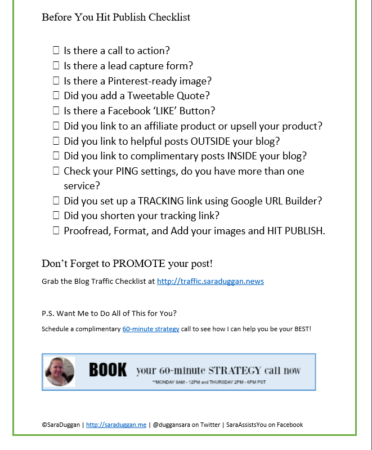
DOWNLOAD YOUR TRAFFIC CHECKLIST (subscribers only)
I just downloaded the Blog Traffic Checklist http://traffic.saraduggan.news #pdf #checklist Click To TweetDownload Today’s Checklist (no Opt-in required)
7. Link to helpful posts outside of your blog post.
Only link to outside posts that add to your post NOT just for SEO purposes. If you have to question your intent, leave the link out or make it a “no follow” link.
8. Link to other posts on your blog that add insight to this blog or compliment it.
The two blogs I’m highlighting for this series of posts (boost blog traffic and ProBlogger) are two great examples of this. They do this for their own posts as well as any guest bloggers they host.
9. Check that you have Ping set up.
Most people don’t add anything more than the standard http://rpc.pingomatic.com/ to this part of their blog so be sure to check it. Here’s a list of services to add to your blog. You’ll need to copy them to a text document (notepad or http://editpad.org/) before pasting it into your settings/writing section.
10. Do you have social share buttons?
Just a double check to make sure these are visible and working. You can use a plugin like simple social icons or Sumome.
11. Set up a short link with su.pr or ow.ly or set up a pretty link with tracking code.
When you share on social media, you need to save space. Making a short URL can also help you track the return on your promotion. You can use google URL builder to track your links for each campaign. This is helpful when you are sharing the same post across multiple channels. Give each link a unique code to see which version works best.
12. Hit Publish And Promote
Does everything look okay? Then it’s time to hit the publish button.
Jeanine @ The Storybook Healing Blog says
SO helpful!! You’ve just reminded me that my most recent blog post doesn’t have a content upgrade. I keep forgetting!
Magical V.A. says
Jeanine, glad I could help. Not every post needs a content upgrade, just the really awesome and epic ones (aka the ones that will lead to your money maker or mission).