Hire A Virtual Assistant [plus 5 More Ideas to Help Manage Your Blog While on Vacation]

Running a blog is a lot of work so how do you take a break or travel and keep it running? A virtual assistant can help you. There are assistants who only handle vacation, travel, or illness requests. This means they are on-call when you need them.
Let’s say you know you’re going to spend 3-weeks on tour in Europe. Before leaving you can contact (usually by phone or skype) the assistant and let her know your needs. Often she will give you a checklist to help you prepare your blog.
This may include pre-writing posts, setting up guest posts (she can help with scheduling these), and tallying all the tasks you do on a daily basis to keep your blog running.
You’re ready to leave but may be a bit nervous handing over the reigns to your blogging business. You’ll have access to your assistant (most offer weekly reports/phone conversations) to touch base on what’s happening with the blog.
There is no need to be tied to your phone or laptop while you’re away because she can manage and schedule your social media in addition to your blog.

Here are some thoughts from other bloggers:
1. Open Mike Posts via Darren Rowse of ProBlogger
#Blog On Vacation? @problogger suggests you offer Open Mike Posts #tip Click To Tweet
I like this idea as it allows for user generated content. If you want to step away and not have to worry about moderating comments, ask another blogger or your assistant to moderate them. Be sure to let your readers know that your assistant is taking care of the blog while you’re away or that [insert big influencer here] will be a guest moderator.
2. Host a Contest or a Giveaway via Eddie of Broke Bloke Blogs
#Blog On Vacation? @brokeblokeblogs suggests you Host a Giveaway #tip Click To Tweet
Eddie suggests a really cool idea here don’t you think? This can be as hands off as you want it to be. Your only responsibility is to promote the giveaway. Again, your assistant can oversee this or enlist an influencer that your audience admires and that you trust.
3. Set up Systems and Tools via Tanya of Blogelina
#Blog On Vacation? @blogelina suggests you set up systems & tools #tip Click To Tweet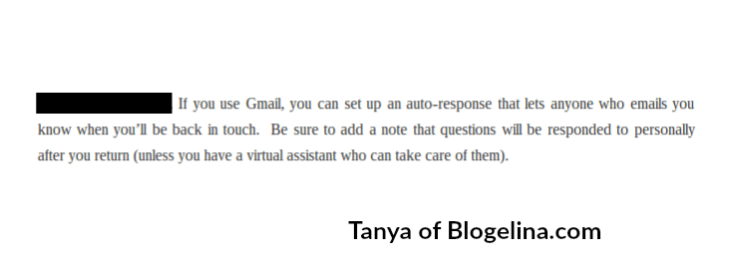
I’m am 100% behind this tip for any blogger or small business. Systems are what make a business successful. One little-known tool that she suggests using is Gmail’s Vacation Autoresponder. Write a quick message letting anyone who emails you know that you’ll answer their message as soon as you get back.
4. Write a Bon voyage Post via Holly Reisem Hanna of The Work At Home Woman
#Blog On Vacation? @Holly_Hanna suggests you Write a Bon Voyage Post Click To Tweet
I knew a crochet blogger who did this. She alerted her readers and fans about her absence before her trip. Here’s the gem - she invited her readers along. She is very active on social media platforms like Instagram, Twitter, and Facebook. So, all during her 3-week trip, we saw glimpses of her and her family enjoying themselves. It was as though we went as well. Check out her Instagram account. The trip was in 2013, but her entire account is something that invites her readers.
5. Do a Guest Post Swap via Sarah Von Bargen
#Blog On Vacation? @yesandyesblog suggests you swap guest posts #tip Click To Tweet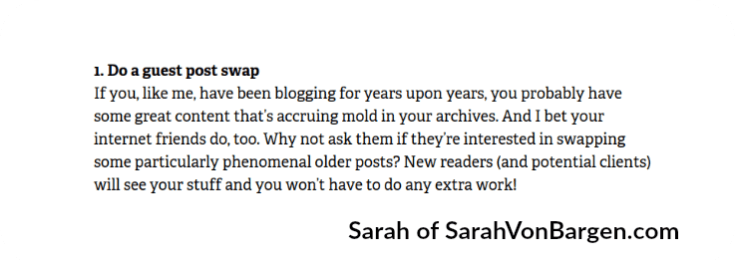
When I first scanned this post I glossed over this suggestion thinking that it was the same as mine - invite guest bloggers to write during your vacation. Upon reading it with more attention I think this is a rather brilliant idea. We all have old blog posts that can be revived. Instead of repurposing it on your site, swap it with another site. Win-Win.
Whether you hire a virtual assistant to manage your blog while on holiday or enlist a fellow blogger, you can rest assured that your blog and your readers will be taken care of. It may take a little work to prepare, but when you’re relaxing on the beach with your pina colada and your Hunk of a Husband (boyfriend or gorgeous girlfriend) you’ll be in ecstasy knowing everything on the ‘blog-front’ is A-Okay. ^_^
Which of these ideas will you use? Do you have another idea that works for you? Please share your thoughts in the comments below. You can also give me a shoutout on Twitter - @DugganSara.
Mike Gardner is The Time Doctor says
Hi Sara, some good tips here particularly if you are just starting on the journey of using a VA. I have to admit that whilst I use a VA for certain things, when it comes to my blog and social media, I find it’s just as easy to pre schedule things myself using the inbuilt tools in wordpress and hootesuite and Buffer, which is what most VAs use anyway.
Exactly Mike. Prescheduling is one of those “systems” that Tanya of Blogelina.com mentions and then WP, Hootsuite and Buffer are the “tools” used.
You’re probably ahead of most people because of the line of work you’re in too. ^_^
Great tips and I did first hire a VA because of taking a vacation. Since then I have kept her on and she now manages my shopping cart and adding products to my website for me. Having a VA really helps free up time and is well worth the money.
Thanks for including my article, Sarah! I love Darren’s and Eddie’s tips — very creative.
#YouAreLoved says
Thanks for stopping by Holly. My pleasure. I thought they were different ways of handling this dilemma. Yours was original as well.