The Weekly Five Issue 1 October 9, 2015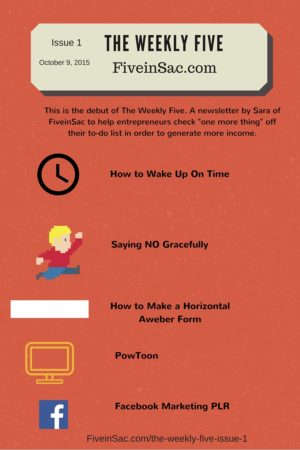
Inside:
- How to get up on time,
- Saying NO gracefully,
- How to make a horizontal Aweber form,
- Powtoon, and
- Facebook Marketing PLR
This is the debut of The Weekly Five. A newsletter by Sara of FiveinSac to help entrepreneurs check “one more thing” off their to-do list in order to generate more income.
Want this in your inbox each week? Click here, enter your name and your best email address and you’ll receive the next issue in your inbox.
Some of the links on this site are “affiliate links.” This means if you click on the link and purchase the item, I will receive an affiliate commission. Regardless, I only recommend products or services I use personally and believe will add value to my readers. I am disclosing this in accordance with the Federal Trade Commission’s 16 CFR, Part 255: “Guides Concerning the Use of Endorsements and Testimonials in Advertising.”
1. How to Wake Up On Time
You hear it all the time, “wake up just 15-minutes earlier and you’ll be more productive”. You agree, but as soon as that alarm rings all you can think about is hitting that snooze button.
I get you. Who wants to step out of a nice, warm and cozy bed especially if there is someone extra special sleeping next to you?
Steve Scott is the @habitsguy. I first found him on Slideshare when I was searching how to make S.M.A.R.T. goals. I learned the 2-minute rule and habit stacking from him with his Smart Goals ebook. You’ll find many of his books on Amazon. You can also visit his site http://developgoodhabits.com.
Here’s a slide share on Waking up on Time. My favorite tips are:
- put your alarm clock away from your bed
- drink water as soon as you wake up
- go to bed early
p.s. Pick up a free copy of 77 Habits to Live a Better Life from his website.
2. Saying NO Gracefully
Amethyst Mahoney wrote a post a few weeks back on “How to Say No Gracefully on Facebook“, that resonated with me. Her business name is “Heart and Soul” so that is just a glimpse into the person she is. She is a professional speaker and spiritual coach.
Right now she is publishing a Divine Love Oracle Deck via a Crowd Sourced funding project. (Indiegogo) It’s a collaboration with many artists. A lovely one-of-a-kind product. She’s also a transformational coach and speaker.
Have you ever been in a forum, group, or maybe a family dinner and been ignored because someone was afraid to tell you NO?
I try to stay clear of confrontation, as I usually end up in an emotional tug-of-war. Online, however, it’s more difficult for me to say NO to those who request things of me. This post will help you say no in a graceful manner that respects the person making the request and YOU.
Amethyst writes:
“Fear of confrontation is not an excuse to ignore another’s existence.”
“Saying NO is a much more kind and gentle way of handling the situation”
3. How to Make a Horizontal Aweber Form
I used to have my autoresponder with Aweber and one thing that always irked me was that they did not have a horizontal bar for sign ups. Last year I came across a tutorial by Eleanore Strong which shows exactly how to do this.
You do need to know a little HTML and you need to know where to find the HTML for your sign up form, but other than that, it is pretty simple.
She offers a video tutorial on YouTube as well as a PDF download with the code that makes it all work nicely. The PDF is an email opt-in, but once you read her blog and hear her teach, you’ll WANT to receive updates from Eleanore.
Aweber offers a 30-day trial for $1.00 *Affiliate link*
4. Powtoon
For my exclusive Fiverr gig, I needed to include a video to help boost it. I think I found the perfect tool that lets me make a great explainer video without having to be in front of the camera.
Like me, you might be an introvert and have a fear of video for marketing your business. Using Powtoon will help. You can even do a voice over and make custom animations.
The one below is the one I ended up with. It is a template. I added the some of copy, they did the rest.
The tune is catchy, it explains what I do, and includes a call to action at the end. I added it to YouTube too.
They have a paid version so you can remove their branding.
How will this save you time or help you shorten your to-do list?
It’s simple and quick and you can let your virtual office assistant take care of it.
5. Facebook Marketing PLR
I mentioned this in the first blog series I did “Social Media is A Waste of Your Time“. For those that are new to the blog and to The Weekly Five here it is again.
This is free to use PLR offered as an email opt-in from DiyPLR. It includes 4 articles and 3 social media graphics.
This resource can be used as a learning tool for you OR as a starting point for a product. You can use the tips in your Twitter and Facebook statuses. Use the 3 images provided to share in a blog post or Google+. Take the tips and make your own Pinterest ready images.
What’s PLR Sara?
Nicole Dean explains it well in this guest post, How to Use PLR Without Alarming Copyscape. Basically, it is prewritten content that you have permission to rewrite and reuse.
You’d be surprised how many bloggers and businesses use PLR. I’m not talking about the spammy bloggers, I’m referring to high-end coaches and professionals. You need to use it properly to get the most benefit from it.
Conclusion
I hope you enjoyed this debut issue of The Weekly Five. Please join me on Facebook or Twitter.
P.S. Ready to book more calls or close more deals? Of course, you are. Find out if working with a virtual assistant is right for you. Signup for weekly updates and get access to a 19-min video + worksheet to get you started.
Clotilde?Craftybegonia says
Hi Sara! great start, wish you the best success. Pinned your article to my bloggers’ board on Pinterest.
S D says
Long-time Clotilde. Wow. I feel like I’m far removed from the Crochet world now. Much has happened since February. I still have all of that crochet business blogging content. Eventually, it will be put to great use. When my urgent matters are taken care of.
How have you been? How is your crochet world doing?